Packing slip template for machine shops
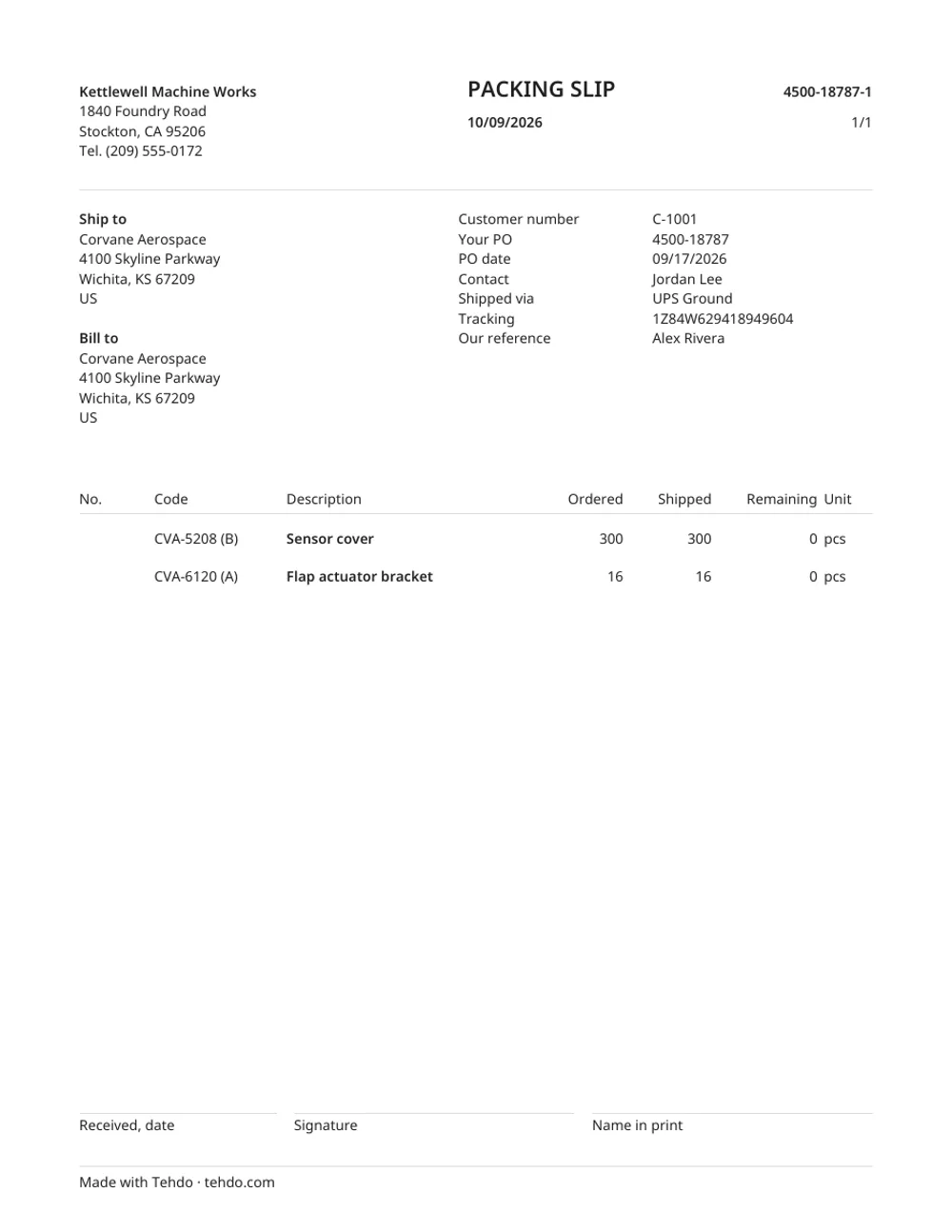
A packing slip tells the customer's receiving dock what's in the box and against which PO. For a job shop the important part is partial shipments: ordered, shipped this time, and what's still to come, per line, with the part revision. Below: a free template in Excel and PDF, a filled-in example, and what receiving checks.
Download the template
Excel (.xlsx) Blank PDF Filled-in example (PDF)
The Excel version works out Remaining for you.
A filled-in example
What receiving checks
- Their PO number, big and near the top. That's how they find the order.
- Part number and revision on every line. A rev mismatch gets the box put on hold.
- Ordered, shipped, remaining. So they know whether to close the line.
- Ship-to and bill-to, if they differ.
- Carrier and tracking number.
- Certs in the box. Say which: material cert, C of C, inspection report. Missing certs are the most common reason a shipment gets rejected.
- Your contact for questions.
Partial shipments without the mess
- Number slips per PO: 4500-18787-1, -2, -3.
- Remaining on each slip should equal ordered minus everything shipped so far, not just this box.
- Tell the buyer the same day what shipped and when the rest ships. Here's an email for that.
Or let the shipment write it
In Tehdo, you mark what's going out on the order, add the tracking number, and the packing slip comes out with ordered, shipped and remaining already right, the invoice follows from the same shipment, and the buyer's page shows it shipped. Watch it in 35 seconds, or ship an order yourself in the sample shop.
Questions
What's the difference between a packing slip and a bill of lading?
The packing slip lists what's in the shipment against the customer's PO, for their receiving. The bill of lading is the carrier's document for freight: shipper, consignee, pieces and weight. Small parcel shipments usually need only the packing slip.
How do I show a partial shipment on a packing slip?
Give each PO line three numbers: ordered, shipped on this slip, and remaining. Number the slips per PO (PO-1, PO-2) so receiving can match them.