Job traveler template for machine shops
A job traveler (some shops say router) is the sheet that rides with the parts: what the part is, which revision, what material and heat, and every operation in order with a place to sign it off. Below: a free blank template in Excel and PDF, a filled-in example from a real-looking job, and what to put on yours.
Download the template
Excel (.xlsx) Blank PDF Filled-in example (PDF)
A filled-in example
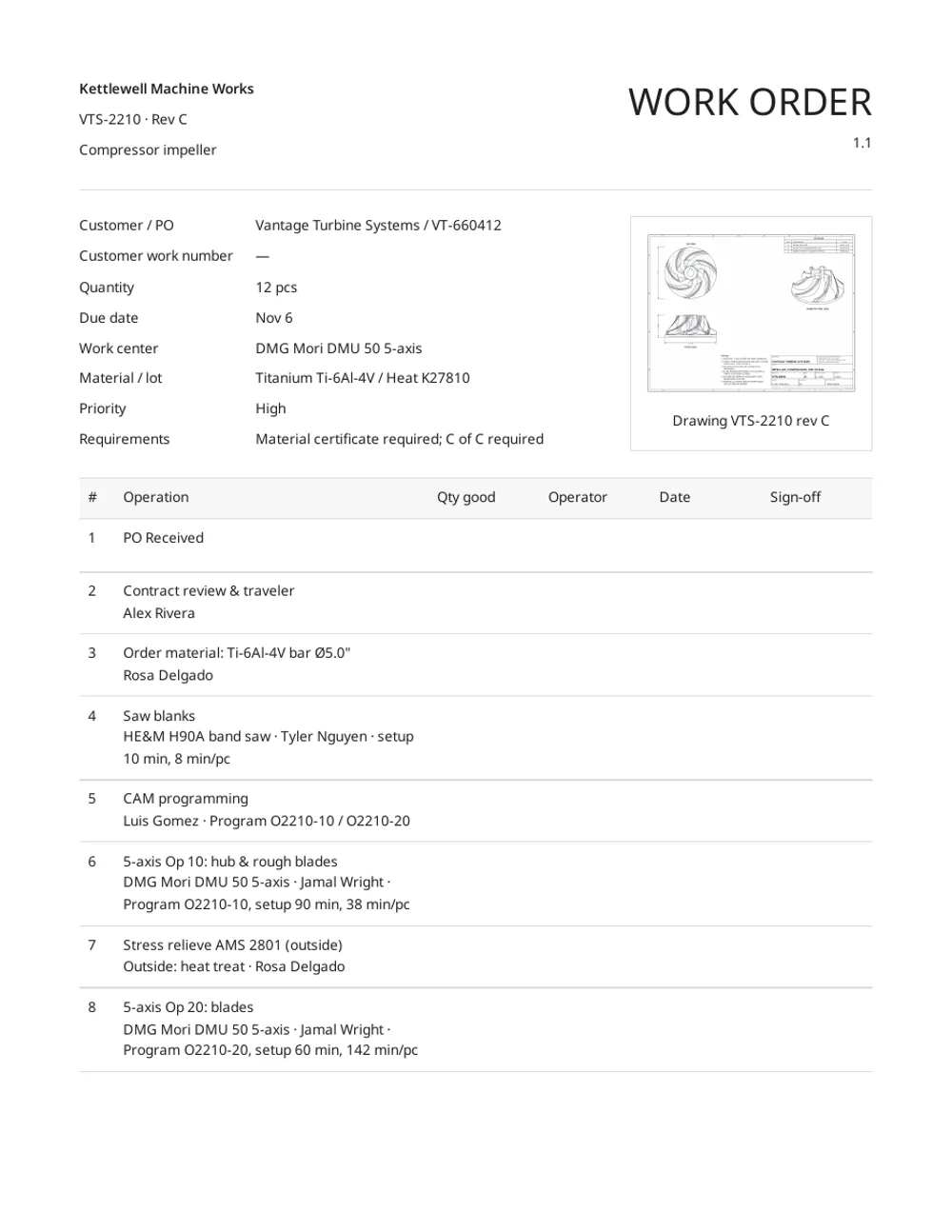
What goes on a traveler
The header
- Customer and PO number, with line. So anyone can answer a buyer by their number.
- Part number and revision. Print the rev big. A wrong-rev job is the most expensive mistake on the floor.
- Quantity and due date. Add overrun if you plan for scrap.
- Material, and heat or lot number. It's what ties the parts to the mill cert.
- Drawing and its revision. A thumbnail helps the floor spot the wrong print.
- Requirements. Material cert, C of C, first article, special packaging.
The operations
- Every step in order, numbered (10, 20, 30 leaves room to insert).
- The machine or work center, and the program number for CNC steps.
- Planned setup and run time, so you can compare against what really happened.
- Outside steps (anodize, heat treat, plating, NDT) on the traveler too, with the vendor.
- Columns for good quantity, operator, date and sign-off.
At the bottom
- Room for nonconformance and rework notes, so they don't live on a sticky note.
Tips from shops that use them well
- Print the traveler when the material is cut, not when the PO arrives, so it has the heat number.
- Keep a copy of the route for each part number and revision, and start the next job's traveler from it.
- Write good quantity at every step. That's how you find where the scrap happened.
- File the signed traveler with the certs and the packing slip. That's your job history when the customer asks a year later.
Or print it from the order
In Tehdo, the traveler prints from the order itself: the route with each machine and person, the heat number, the drawing and the requirements, all from what's already in the job. Nobody retypes it, and the route for a repeat part is copied from last time. The example above is exactly that. Open the sample shop, pick an order and choose Create document → Work order to print one yourself.
Questions
What's the difference between a traveler and a router?
Most shops use the words for the same sheet. Where they differ, the router is the planned sequence of operations for a part number, and the traveler is the copy for one job: quantities, heat number, who did each step and when.
What should a job traveler include?
Customer and PO, part number and revision, quantity, due date, material with heat or lot number, the drawing revision, requirements such as certs and C of C, then every operation in order with machine, setup and run time, operator, good quantity, date and sign-off.